
Content
Required data and documents

You can file your design application online (without signature) or electronically (with a signature) or file a conventional paper-based application. In any case, you must provide details of the applicant and about the products for which the design is intended to be used. Furthermore, you must submit a representation of the design that is suitable for publication.
Details of the applicant
Natural persons (private individuals), legal entities and also partnerships with legal capacity (for example, GbR) may apply for a design. The applicant’s details must include the name of the person or their business name and the home address or business address.
Please note:
- For natural persons, the full name and the residential address of the person must always be provided. Trade names of traders and sole traders not entered in the commercial register must not be provided.
- Exception: If the design is applied for on behalf of a registered trader (e.K.), the company name and business address as entered in the commercial register must be provided.
- If the application is to be made on behalf of several persons, the names and residential addresses of all individuals must be provided.
- for legal entities (for example, GmbH, AG):
- If the applicant is registered as a legal entity in a register (for example, a commercial register), the name or company name must be stated in accordance with the register entry.
- for partnerships with legal capacity (e.g. GbR):
- A civil-law partnership (GbR) may be entered in the Design Register provided that, in addition to the partnership’s name and address, the name and address of at least one partner authorised to represent the partnership are also provided.
Representation of the design
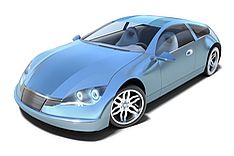
You may submit up to ten views per registered design. This allows you to show your design from different angles or to highlight specific details.
The representation defines the subject matter and scope of the design right and is therefore of central importance. You may use photographs, drawings or computer-generated graphics (CAD graphics) for this purpose. These may be in colour, greyscale or black and white.
When selecting the design representations, please note that the subject matter of the registered design is determined by the representation. This means that all features (including, for example, colours) visible in the representations are also protected. Features that are not depicted are not covered by the protection. It is therefore in your own interest to clearly depict the features of the design that you wish to protect. It is also advisable to use only one type of representation in a design representation, as combining different types of representation (such as photographs and line drawings) can lead to uncertainties in determining the subject matter of protection and delays in the design registration procedure. If you wish to show your design in different types of representation, you can apply for them as separate designs.
Even representations featuring different design variations (such as different colours or shapes) cannot be grouped together as a single representation. Each variant of the product design constitutes a separate design and must be registered as an independent design (for example, within a multiple application). This also applies if the various designs belong to the same design series or collection.
The representation might look like
You may submit photographs, drawings or computer-generated graphics (CAD graphics) in colour, greyscale or black and white. Please use only one type of representation for each submission. Combining different types of representation (such as photographs and line drawings) may make it difficult to determine the subject matter of the protection.
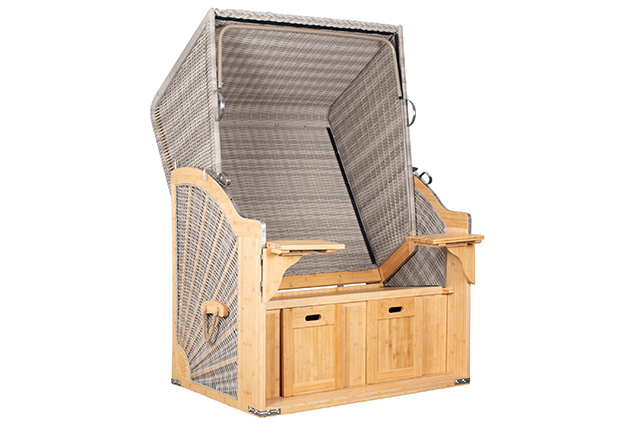
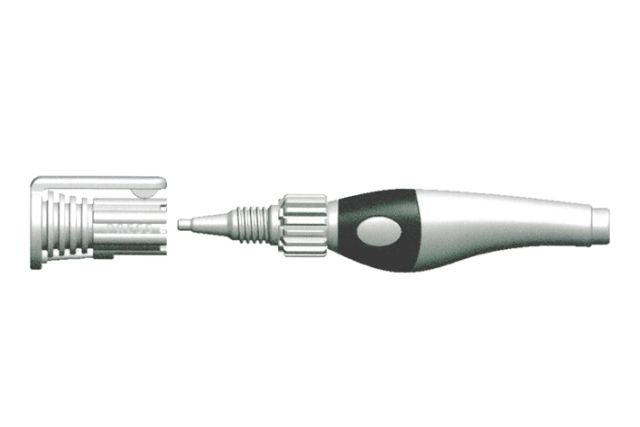
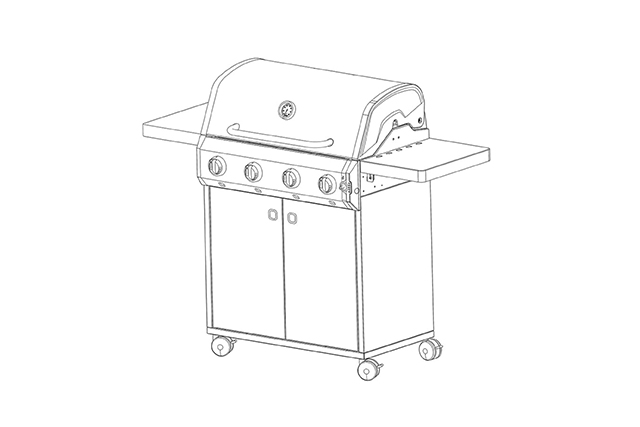
The three most important representation requirements
- Each illustration must show only one view of the design. The first illustration should show the overall view of the design, as this will be displayed in the "results list" in DPMAregister upon entry in the design register.
- The representations must not show any objects that do not form part of the design. The representations must also not contain any dimensions, explanatory text or other descriptive additions.
- Furthermore, the design must be depicted against a neutral background (a uniform colour that contrasts clearly with the design, for example white or grey).
Common Communication of the requirements for graphic representation of designs
Guidelines on the common practice of the participating IP offices of the requirements for graphic representation of designs with regard to a neutral background, visual disclaimers and acceptable types of views were set out at the European level. Detailed information on this subject and examples of acceptable illustrations are available in the Convergence on graphic representations of designs - "  "Common Communication" (2,89 MB)" of 15 May 2018.
Information on submitting electronic illustrations
For online applications via DPMAdirektWeb or applications using the DPMAdirektPro software, please submit representations in JPEG format (*.jpg). If you are registering your design conventionally on paper, you may either stick or print the reproduction (representation) of the design onto
The following formats are permitted for the electronic data carrier:
CD-R, CD-RW, DVD-R, DVD+R, DVD-RW and DVD+RW. The individual image files must be saved in JPEG format (*.jpg) in the root directory of the blank data carrier (no subdirectories). Each file may contain only one representation.
For electronic representations, the resolution must be at least 300 dpi and the image size at least 355 x 355 pixels. The size of a file must not exceed two megabytes. Arabic numerals must be used for the file names of the individual representations (for example, 1.1.jpg). The digit to the left of the full stop indicates the design number and the digit to the right of the full stop indicates the representation number.
Indication of products
Finding terms of goods
- Locarno-Search for the indication of products (list of goods - design/Locarno Classification - German entries only)
- more information about the Locarno-Classification on the website Classifications/Designs
Your application must include a indication of products. This means you must specify the goods (products) for which you wish to use your design. To do this, you must select a term from the official list of goods for designs. If necessary, you may specify up to five terms. To search for the permitted terms, you can use our search engine for product specifications.
Picture: iStock.com/D3Damon, Picture 2: iStock.com/alex_mit
Last updated: 27 March 2026
Not only protecting innovations
Social Media